Canva’s New Features
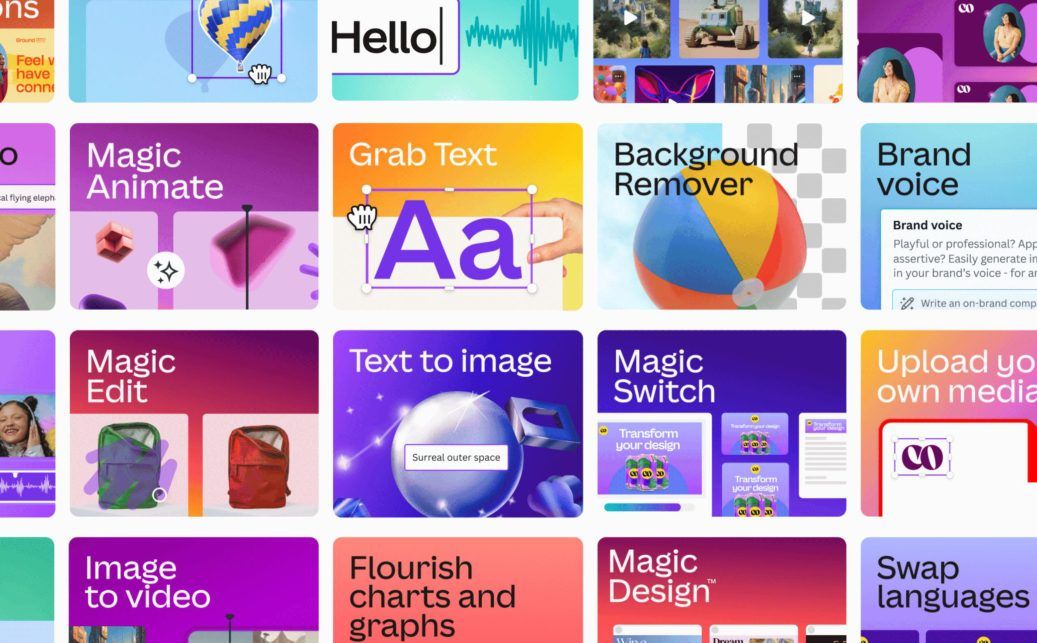
Some of the features in the Canva Magic series
Photo: Credit: Canva
Last spring and this summer, Canva, the graphic design platform, came out with many new features. Many of these were released during the Canva Create event on March 23, 2023, and more has happened since. Now, we can enjoy the most of it for the school year. Here are some of the best features that came out in 2023:
Magic Edit & Magic Eraser
This year, Canva added generative AI to its collection of features. One of these features is text-to-image, where you can type any word or phrase, and it will make a photo. Usually, the images come out unrealistic, but sometimes it works. Some of the newer AI features are Magic Edit and Magic Eraser. With Magic Edit, you select part of an image and type what you want that part to become. For example, you could take the cherry on top of a sundae and turn it into a dog. Magic Eraser works in the opposite way, deleting the selected thing, instead. Although all of these features still aren’t perfect, they’re fun to play with.
Animation
One of my favorite new features is the Animation tool. It enables objects to move around the screen in a slideshow. Google Slides and PowerPoint already have this feature. Canva already had transitions, where objects could appear and disappear in different ways, but didn't have this feature. To choose where something moves, you move the cursor where you want it to go. The speed of the animation depends on the speed at which you move the cursor.
Draw & Translate
Two other new features that are interesting are the draw & translate tools. I haven’t found them to be useful yet but they could be in certain projects. The draw tool is just like any other, free, online whiteboard platform with abilities to draw with various thicknesses, highlight, and erase. The translation tool also seems to work well.
Apps
The biggest new features aren’t actually made by Canva. Because of the apps section of Canva, different software companies can put their things on Canva, which provides a variety of different features. Most of these are AI generators. There are apps on Canva that generate songs, photos, placeholder text (lorem ipsum), videos, voices, and more. There are apps for many other things such as QR codes and emojis.
There are many different new features on Canva, and thanks to Blake's education subscription, we can access them all for free. What will you make with Canva?