
5 New Canvas Extensions You Didn’t Know About
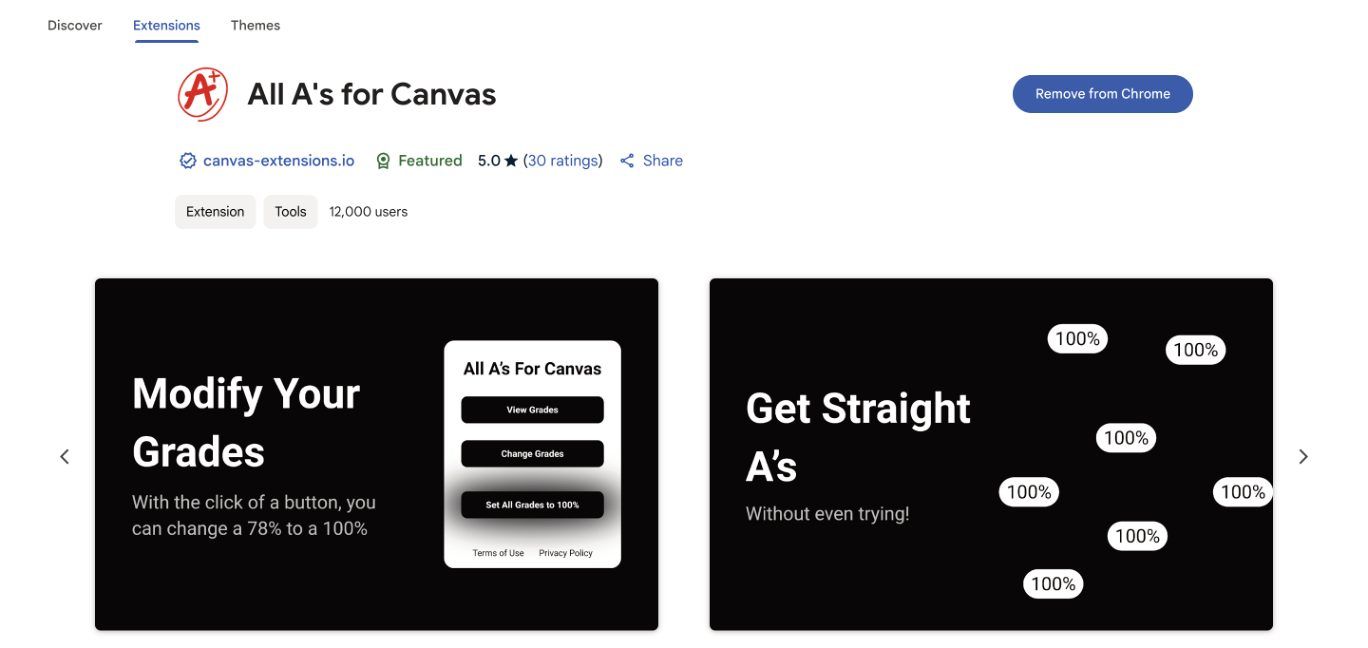
Above: The Chrome Web Store page for All A’s for Canvas, a new Chrome extension
Photo:
One new extension automatically sets all your grades to As.
Certain Canvas such as Better Canvas or Tasks for Canvas are very popular. But there are other, more interesting extensions, that are also available on the Chrome Web Store. This article will cover five of them.
All A’s For Canvas
With this extension, you can change all your grades to 100%, or whatever number you choose. Although the developer hasn’t released the specific code, it probably accesses the Canvas database and can change the grades directly. That way, when you change your grades, the grade is visible to teachers and students.
Robux and V-Bucks for Canvas
This extension links your Canvas to video games. It gives you a certain amount of game currency for completing assignments on time. It’s only rated three stars on the Chrome Web Store, but, according to an anonymous 8th grader who uses it, “it works pretty well.”
Teacher View
All teachers have a setting on their Canvas to view the page the way a student would. This extension allows students to do the reverse, and see the teacher’s view of Canvas. This can be useful if you want to see the entire class’s grades or see how you did on an unreleased assignment.
AI Suggestions for Canvas Quizzes
Have you ever been in the middle of a Canvas quiz, and you just need to know one little thing? But your teacher has told you that you can’t leave the tab. With this extension, you can get unstuck in questions without cheating!
Combined Canvas
This extension allows you and your friends to have a synced Canvas. That means that you each have both of your courses and grades. For example, Student A might have an assignment due in Science. Student B can directly view Student A’s science Canvas and can submit the assignment for them.